Every Meta lead, assigned and answered before it goes cold
INUBIZ CRM pulls Facebook and Instagram lead forms in real time, routes each one to the right agent, and keeps the whole WhatsApp conversation in one shared inbox.
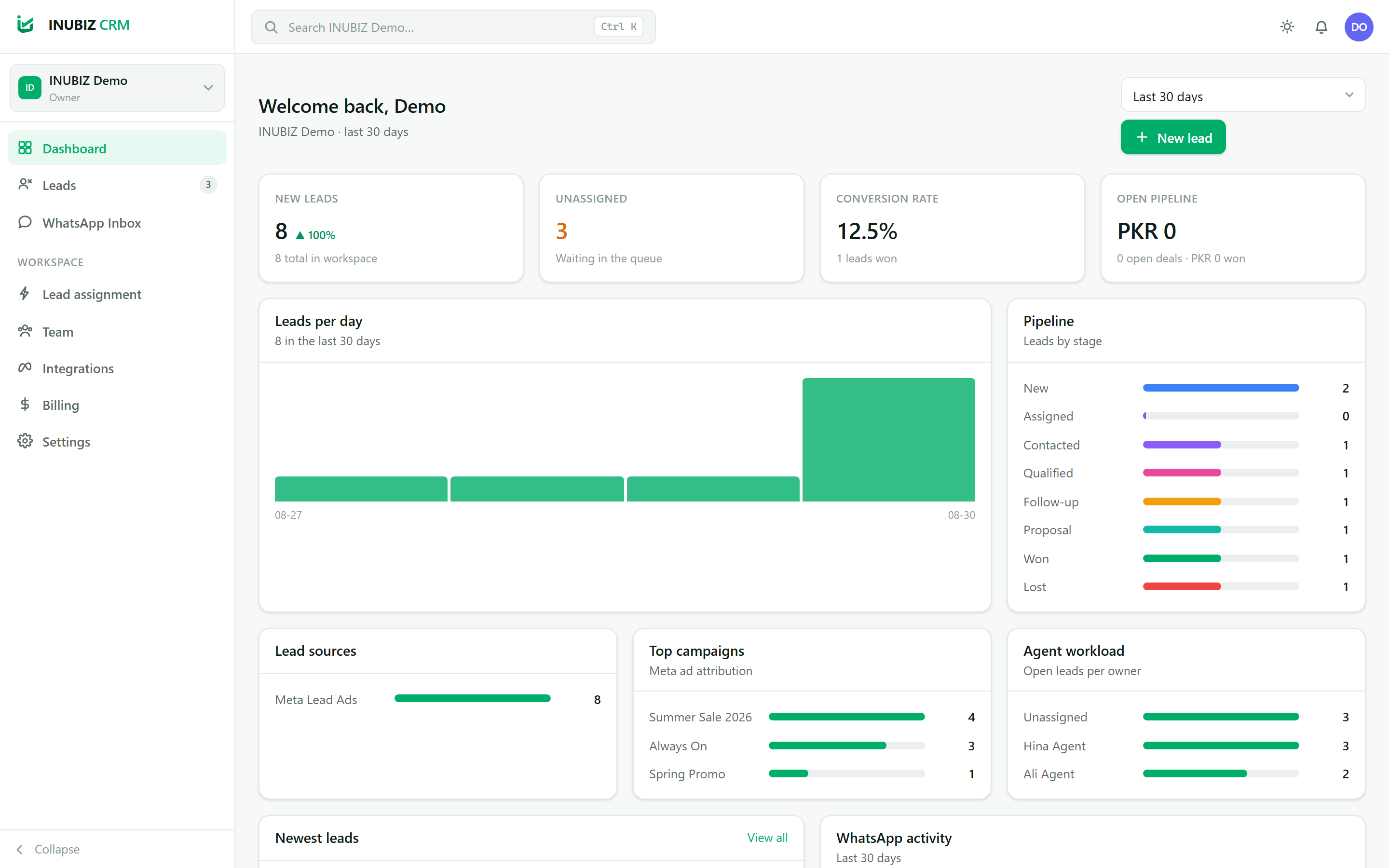
Meta Lead Ads, in seconds
Connect a Facebook Page and every Instant Form submission lands in the CRM with its campaign, ad set and ad. Webhooks are signature-verified and de-duplicated by Meta’s lead id.
WhatsApp that respects the rules
A shared team inbox on the official Cloud API. Sent, delivered and read receipts, approved templates, and the 24-hour service window enforced before the API call.
Nobody sits in the queue
Round-robin, fewest-open-leads or fixed-agent routing, with rules on Page, form, campaign and location. Overdue follow-ups and SLA breaches surface on the dashboard.
Built for a team
Owner, Administrator, Manager, Agent and Read-only roles enforced on the server. Every workspace is isolated — one team can never see another’s data.
See the actual product
These are unedited screenshots of the running application, re-captured on every release.
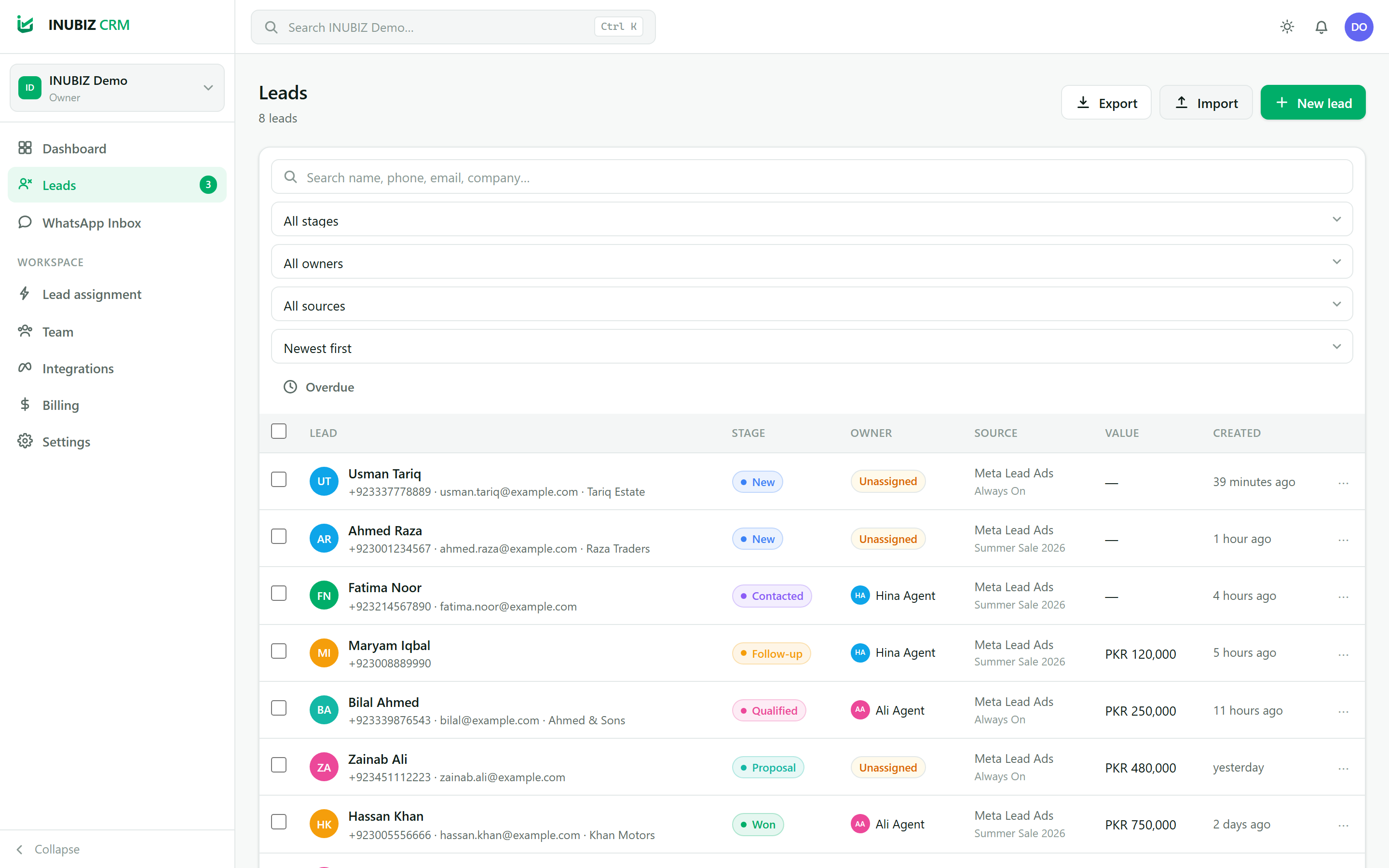
Leads
Search, filter by stage, owner, source or date, then assign in bulk. Duplicate phone numbers are caught as you type.
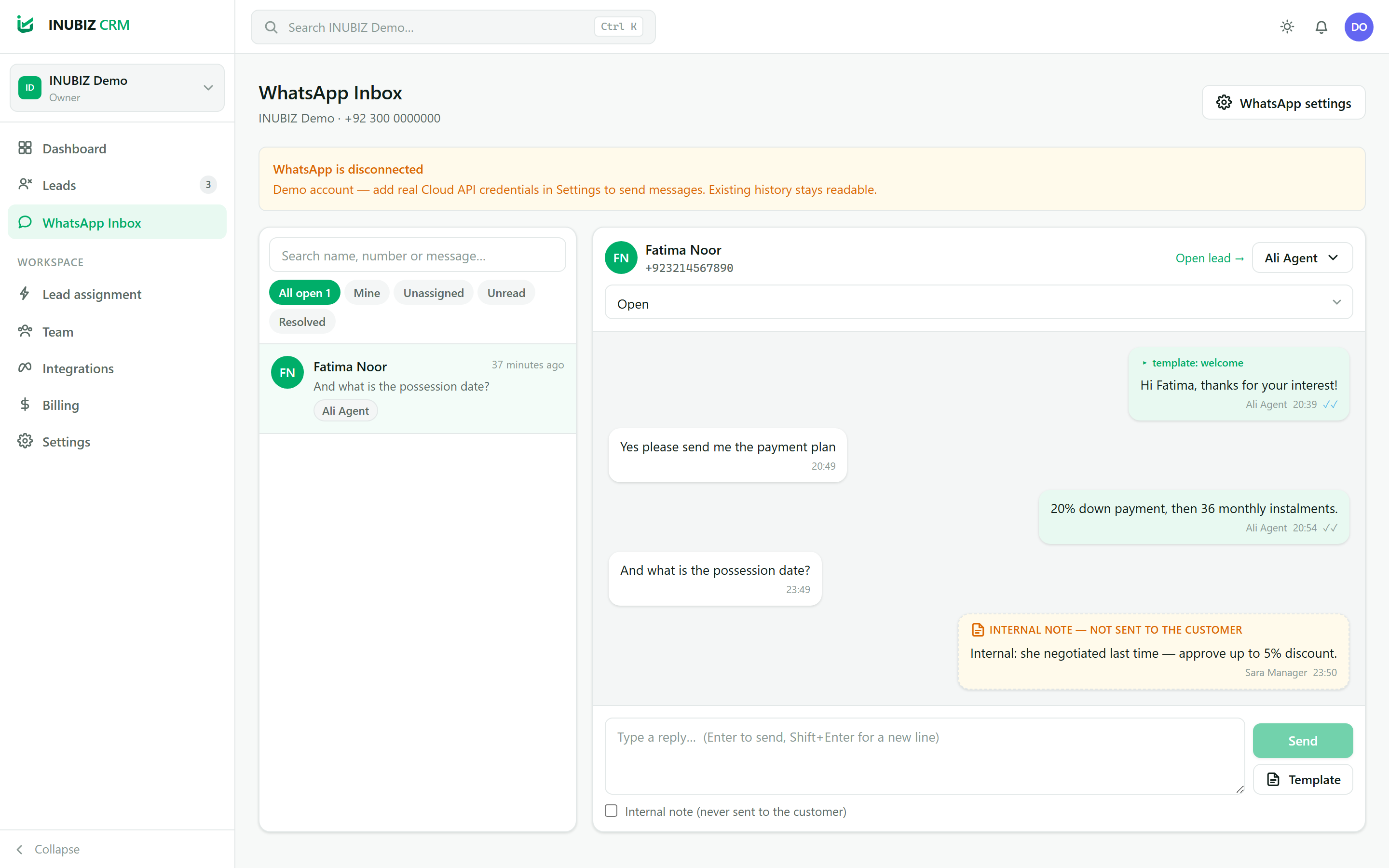
WhatsApp Inbox
A shared WhatsApp inbox: assign a conversation, see delivery and read receipts, and leave internal notes the customer never sees.
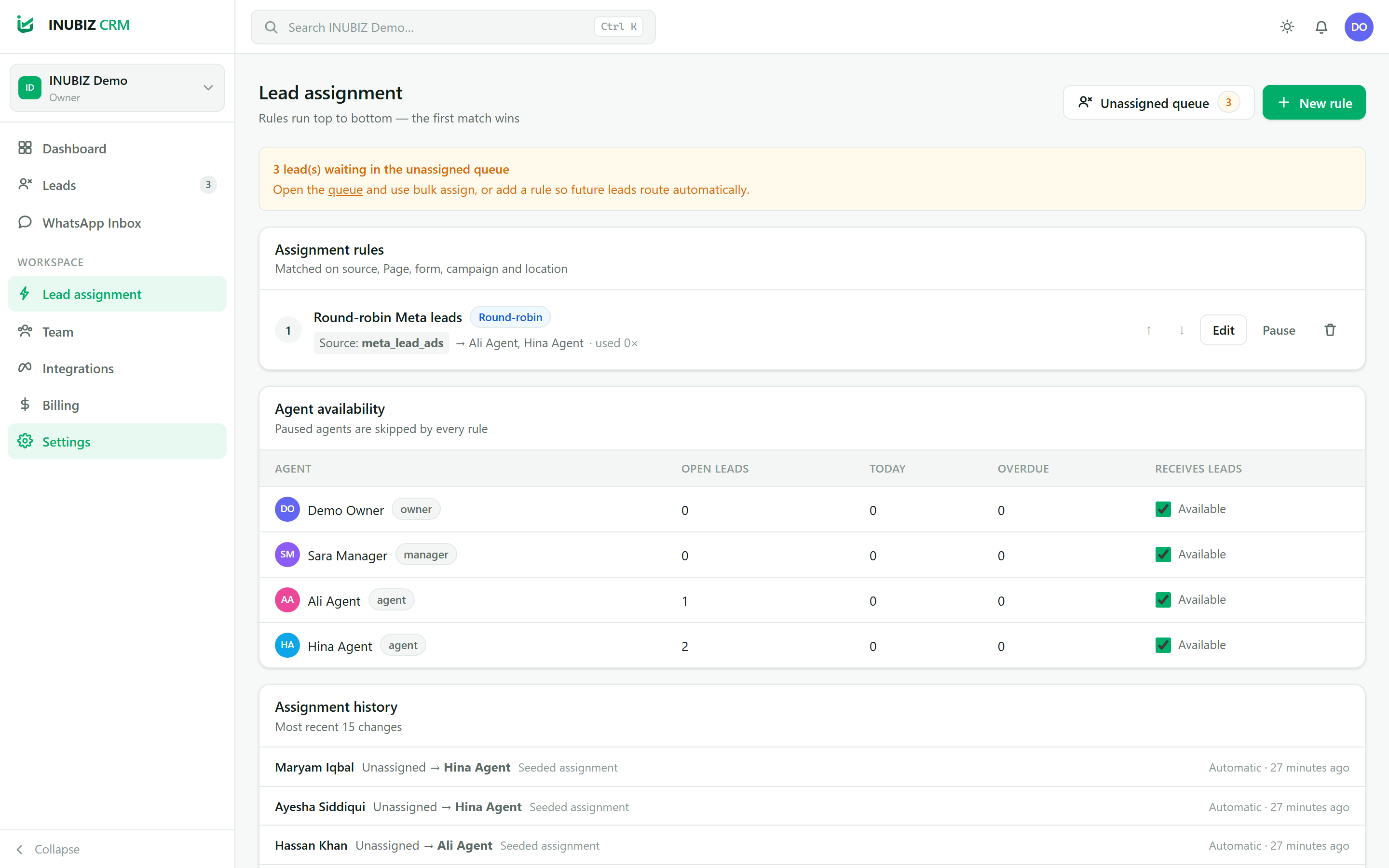
Lead assignment
Rules run top to bottom. Match on Page, Instant Form, campaign or location, then route round-robin, to the least-loaded agent, or to one person.
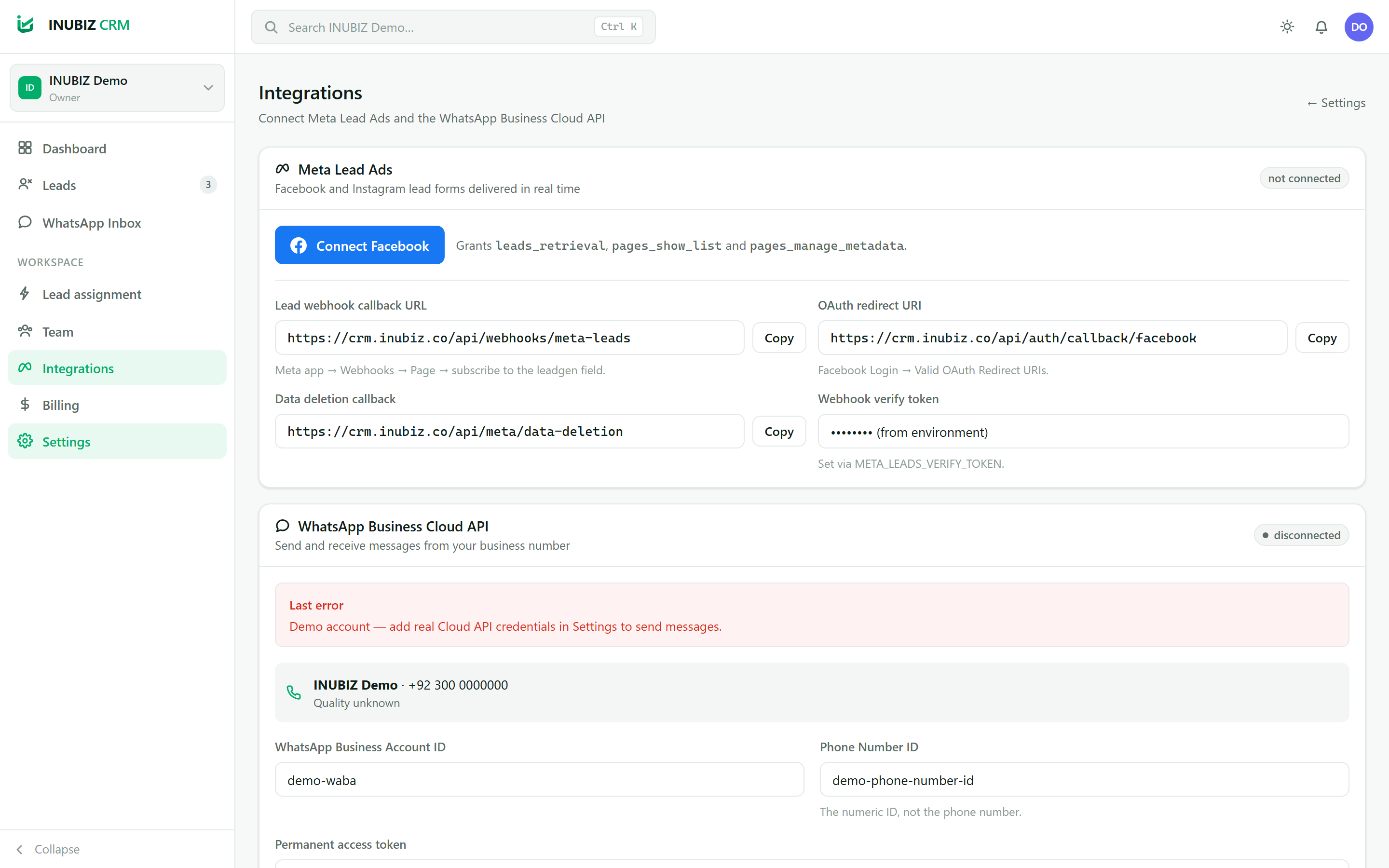
Integrations
Connect Meta and WhatsApp, map form fields, and watch every webhook delivery — the first place to look if leads stop arriving.
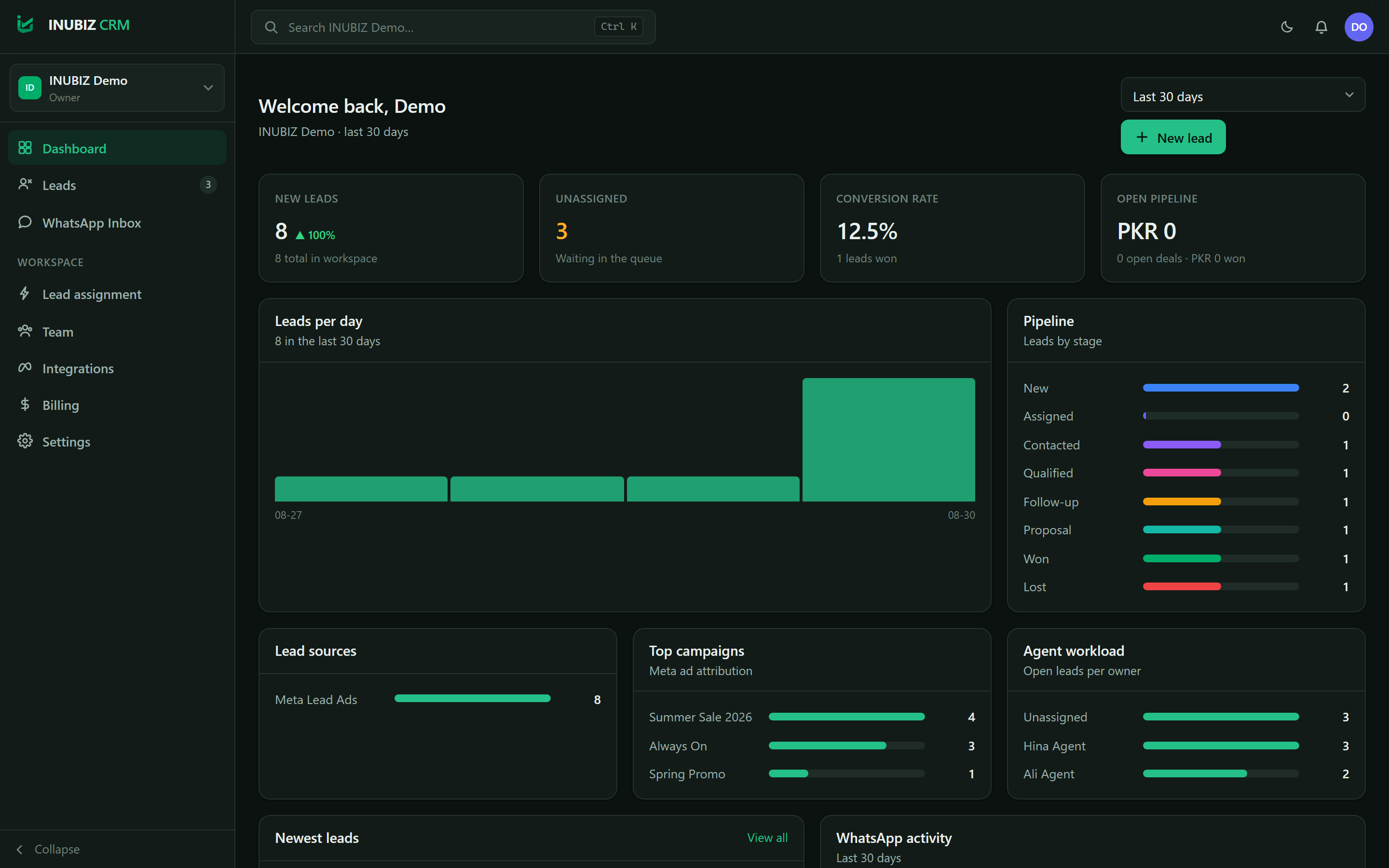
Dashboard (dark)
The whole product follows your system theme, with a proper dark palette.
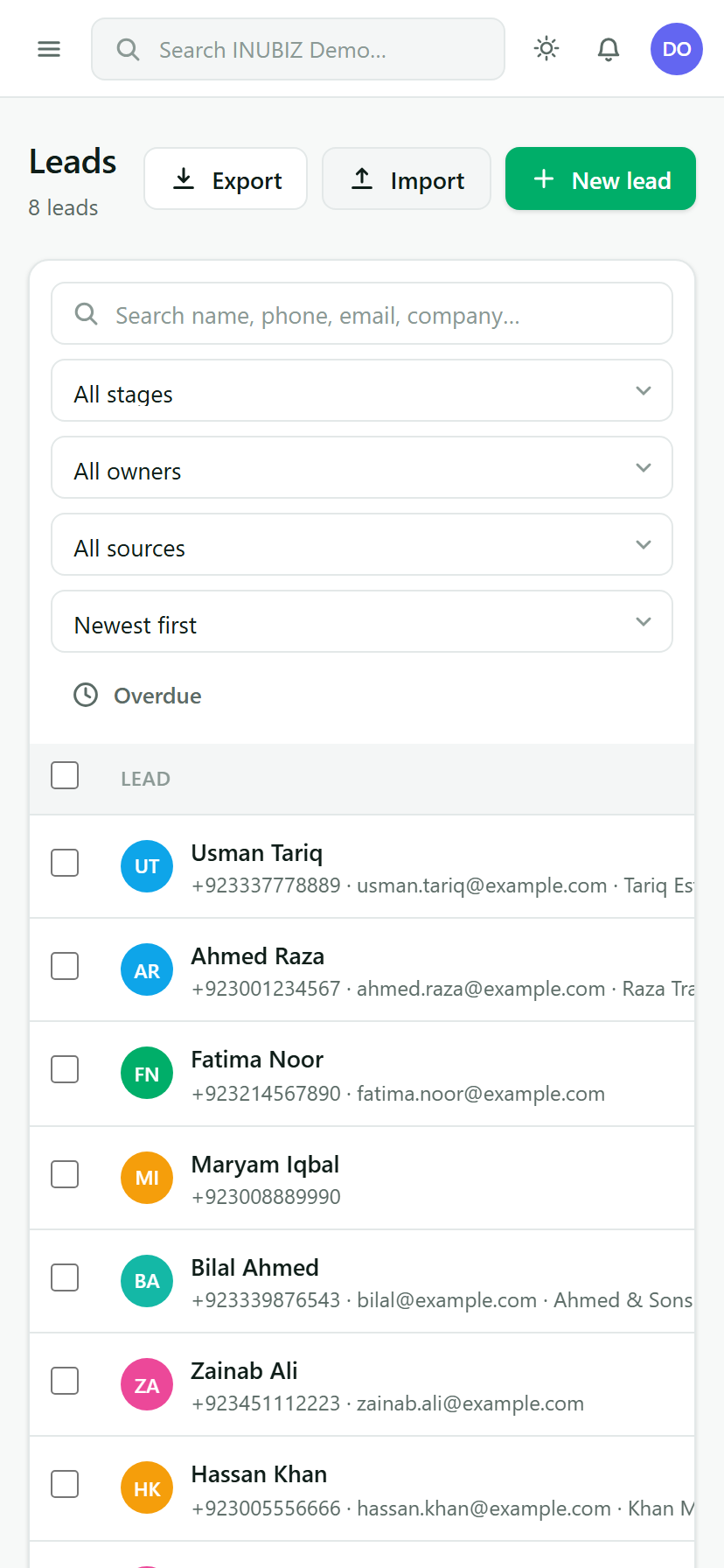
Leads on mobile
Agents can work the queue from a phone between site visits.
Connect your Page
Sign in with Facebook and pick the Page whose forms you run.
Map your fields
Match Instant Form questions to CRM fields — standard ones map themselves.
Route and reply
Rules assign each lead to an agent, who follows up on WhatsApp from the shared inbox.
Ready to stop losing leads?
Create a workspace, connect your Facebook Page and send your first WhatsApp follow-up today.
Create your workspace